What’s Inside:
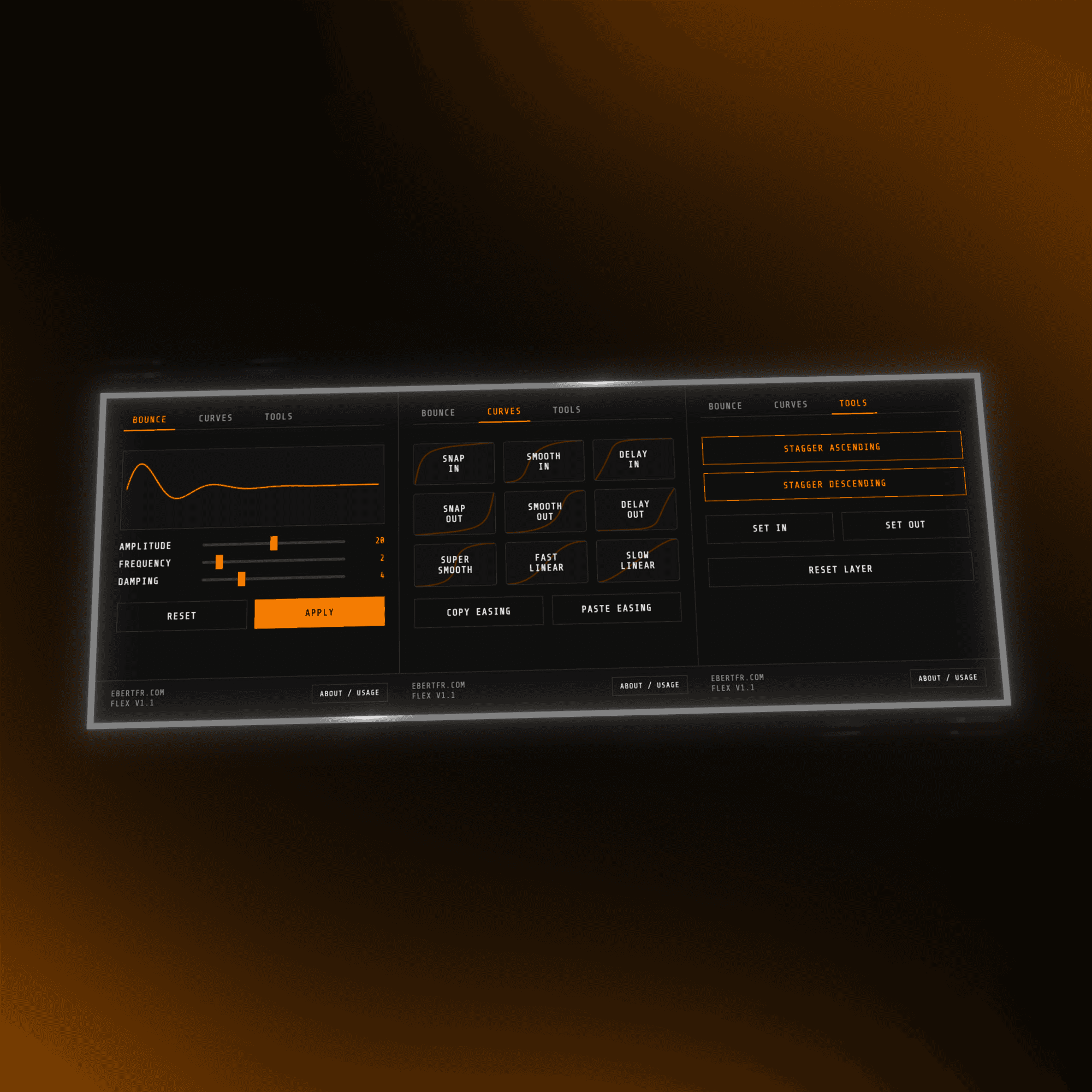
• Signature bounce engine with live curve preview
• 9 handcrafted easing presets (Snap, Smooth, Delay, Linear)
• Copy/paste easing system with smart mismatch handling
• Timeline tools for layer cleanup, staggering, and resets
• Fast, intuitive UI with shift-click shortcuts throughout
How It Works:
• Bounce Tab — three sliders (Amplitude / Frequency / Damping) with real-time curve preview, apply instantly to any property
• Curves Tab — one-click apply or replace easing, Shift+Click to remove, copy & paste easing between layers
• Tools Tab — stagger layers, align In/Out points to playhead, reset layers cleanly
• Shift+Reset removes bounce, mouse wheel navigates between tabs
Watch me use it (starts at 6:10)
Included with Purchase:
• Lifetime updates, free forever
• All future versions delivered straight to your inbox
• Direct email support & feature requests welcome
• Your price is locked forever
• Licensed for single-user use only, redistribution or sharing of files/installers is not allowed
Compatibility:
• Fully compatible with macOS & Windows
• Works with all current After Effects versions
Planned Features:
• Live curve editor, design and preview easing in real time
• Save and reuse custom bounce & easing presets
Changelog:
v1.1 - Mar 24, 2026
• Snap In and Snap Out reworked to produce the fastest, most aggressive easing possible
• Easing applies only between selected keyframes, no longer overwrites the entire property
• Improved copy/paste easing reliability across different property types
v1 - Aug 03, 2025
• Full multi-layer & multi-property support for Bounce and Ease tools
• Manual easing applies cleanly across layers, properties & keyframe types
• Copy/paste easing with mismatch detection & easter eggs
v0.9 BETA - Jul 17, 2025
• Initial release
